
Clock in with Activities & Switching Activities - NP
As employees may work on different activities during the day, TimeKeeper lets them clock in with an activity and then switch activities, whether they’re on the same job or a different job. This means they don’t need to clock out and back in; they simply switch activities without losing any time.
First we'll look at clocking in with an activity and making sure you have the setting enabled.
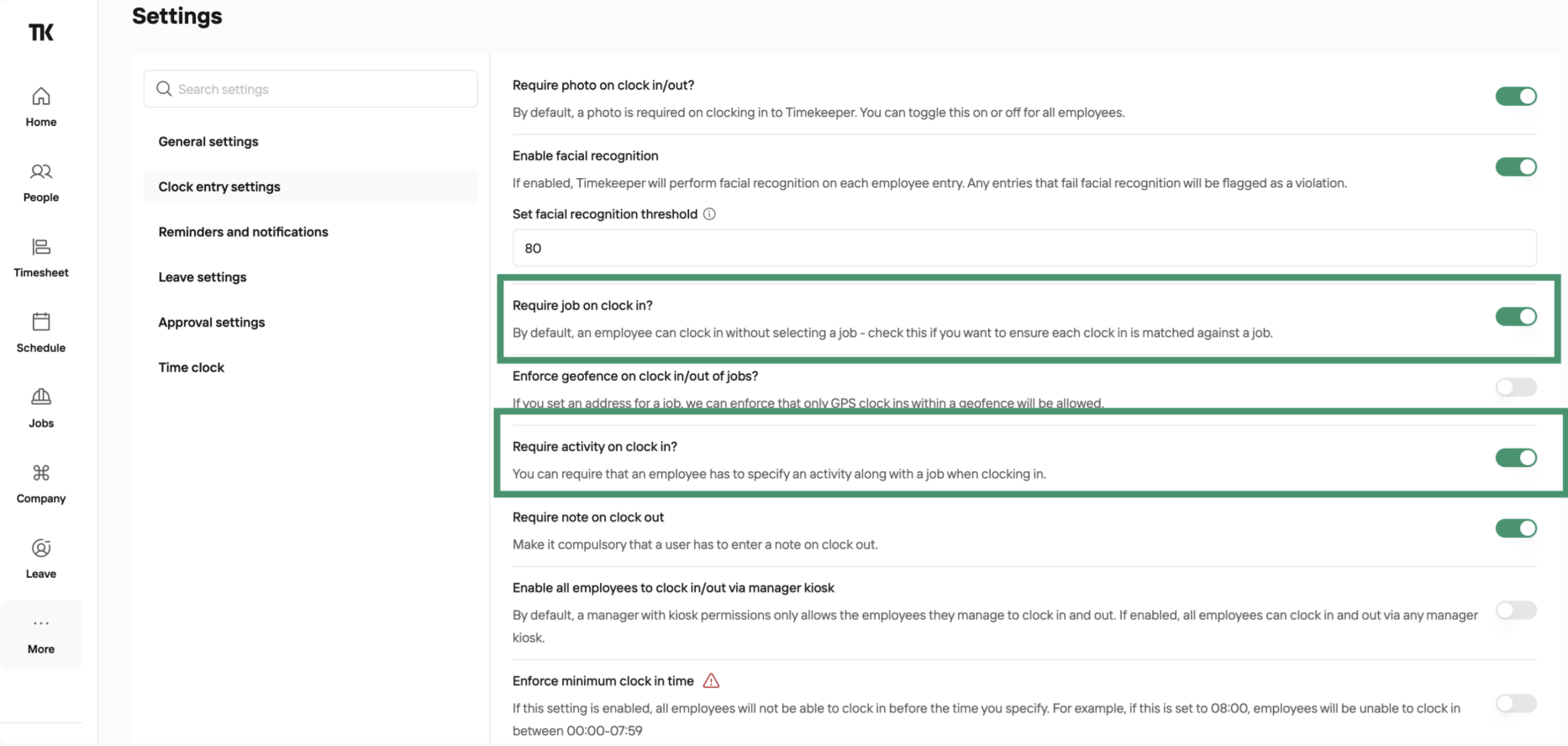
Go to More > Settings > Clock Entry Settings and enable both 'Clock in with Job' and 'Clock in with Activity' and Save.
Now that is done, this video will demo clocking in with activity and switching throughout the day.
To switch activities, simply select the job, choose the activity and press the Switch button.
Was this helpful?
Was this helpful?