
Roles & Permissions
By default your Employee, Manager, Team Managers and Admins all have the following permissions.
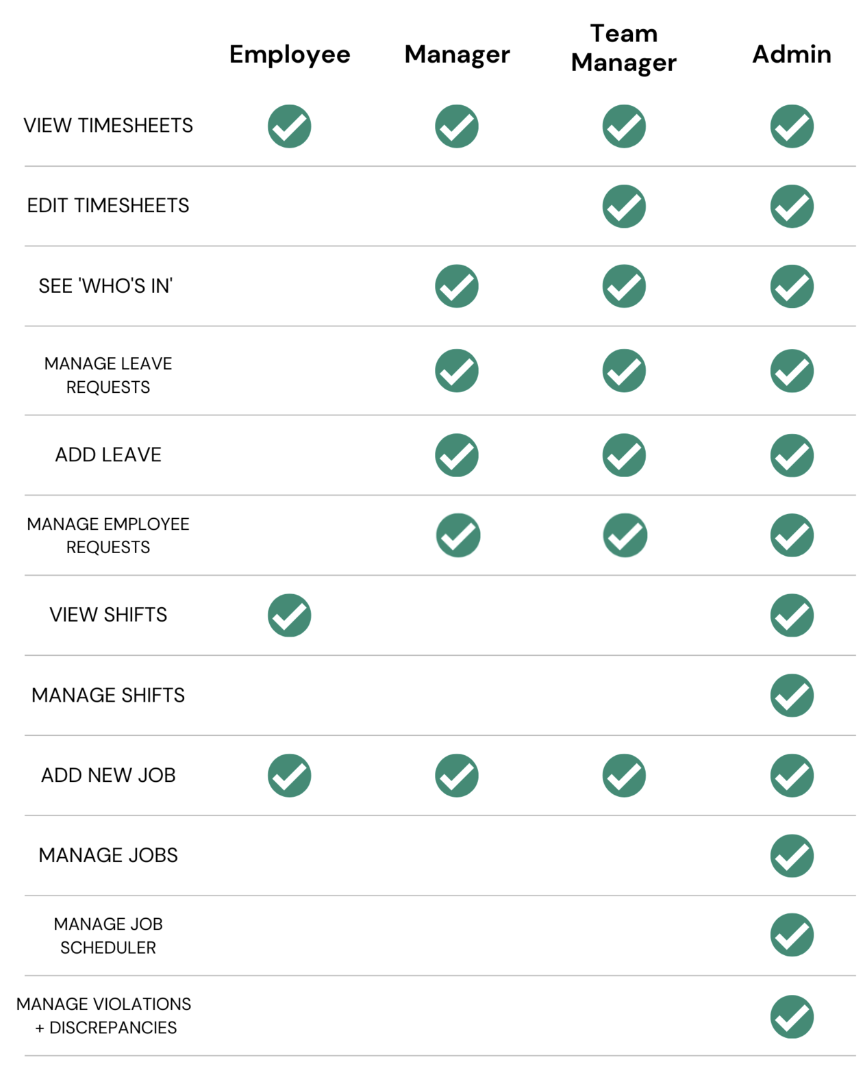
Note that anyone with Client Hub access will have the same rights has an Admin. Client Hub access is for accountants, payroll providers, or technology consultants—to access your account. For more information please review our Client Hub Guide.
As part of V2 we have new features, were the admin can give additional rights to the Team Managers and Managers.
So you go to Account > Role and Permissions you will see them here:
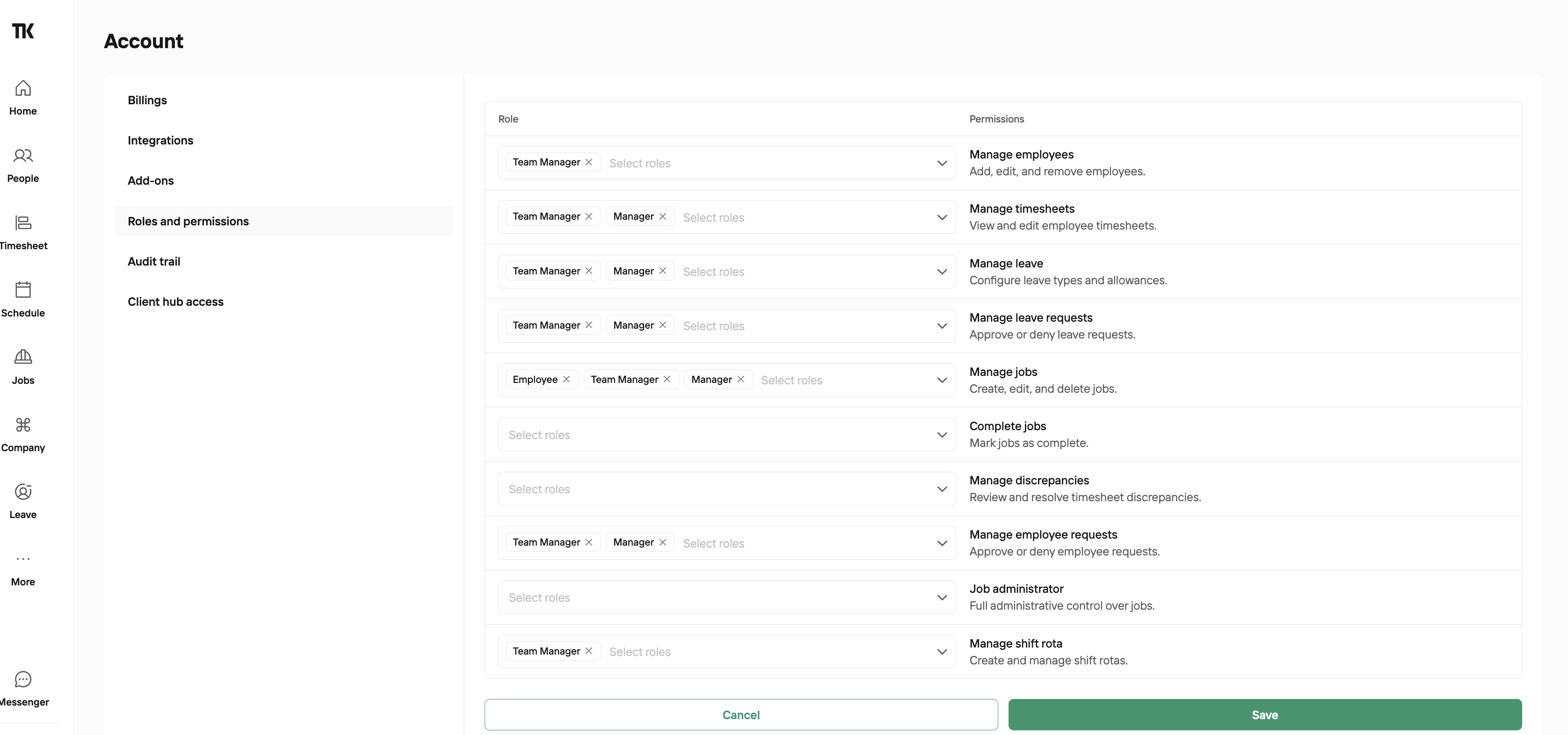
You can choose which users have permission to:
Manage Employees
Manage Timesheets
Manage Leave
Manage Leave Requests
Manage Jobs
Complete Jobs
Manage Discrepancies
Manage Employee Requests
Act as Job Administrator
Manage Shift Rota
What is the 'Who's In' report?
'Who's In' is a live report, which shows employees who are currently clocked in, with either they kiosk location or mobile GPS location. By default only managers, team managers and admins have access to this report. If you'd like employees to have access to this report, you can set them as a 'Fire Marshall' on their 'Access & Permissions' tab. This gives them the ability to run a roll call in an emergency.
Please note the following leave features by default
Admins
Can see all employees on the Wall Calendar.
The main admin will receive email notifications for leave requests from any employees who don’t have a line manager set.
Secondary admins will not receive email notifications, but can view and approve leave by going to Leave Requests.
Team Managers
Can only see the employees in their own team on the Wall Calendar.
They won’t receive email notifications, but can view and approve leave for their team via Leave Requests.
Managers
Can only see employees for whom they are set as the Line Manager.
They will receive email notifications for leave requests from those employees.