
Switching from a Monthly Plan to an Annual Plan
This guide will take you through the process of switching from TimeKeeper's monthly plan to TimeKeeper's annual plan.
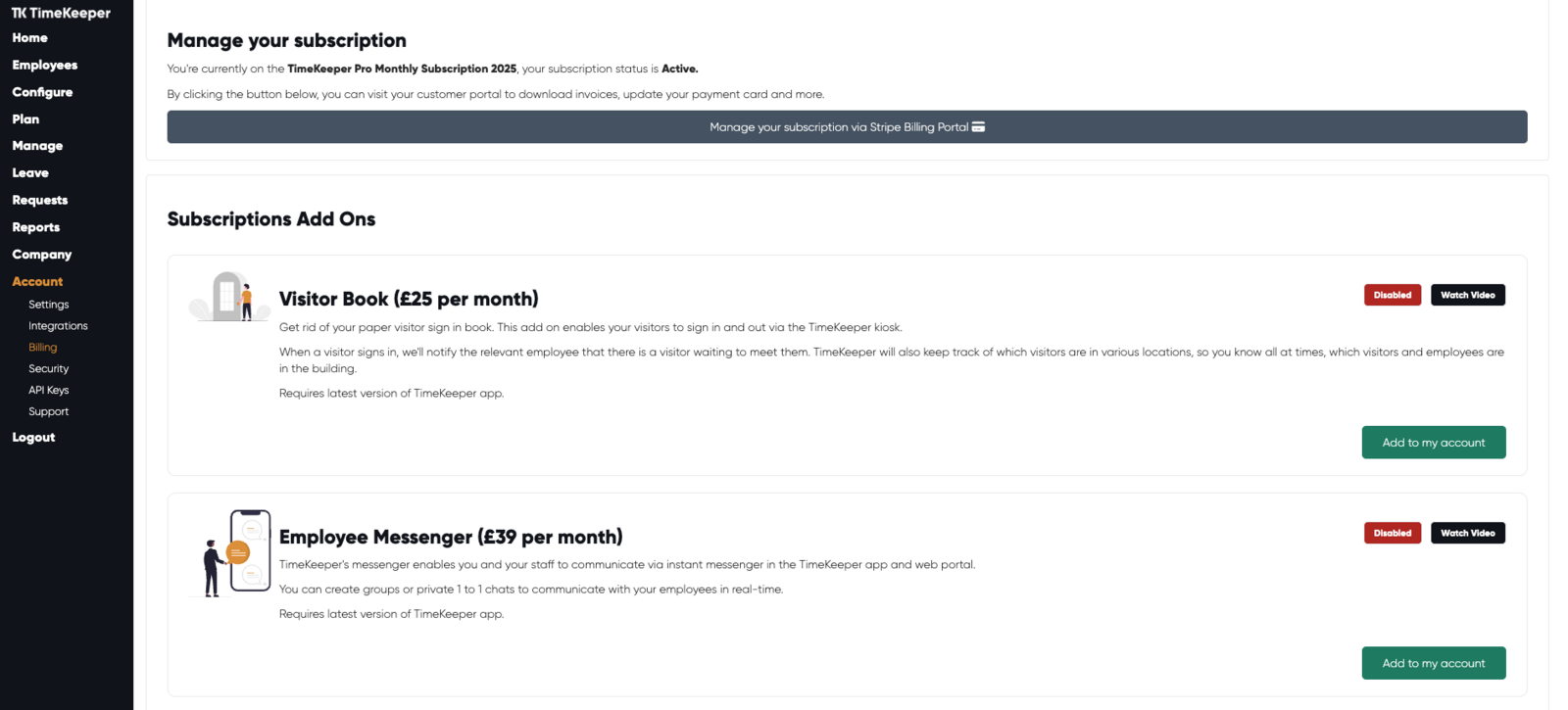
In the left hand panel of the web portal, head to Account > Billing.
Here you will see your current plan and your subscription status.
To change from a monthly subscription to an annual subscription, click on 'Manage your subscription via Stripe Billing Portal'.
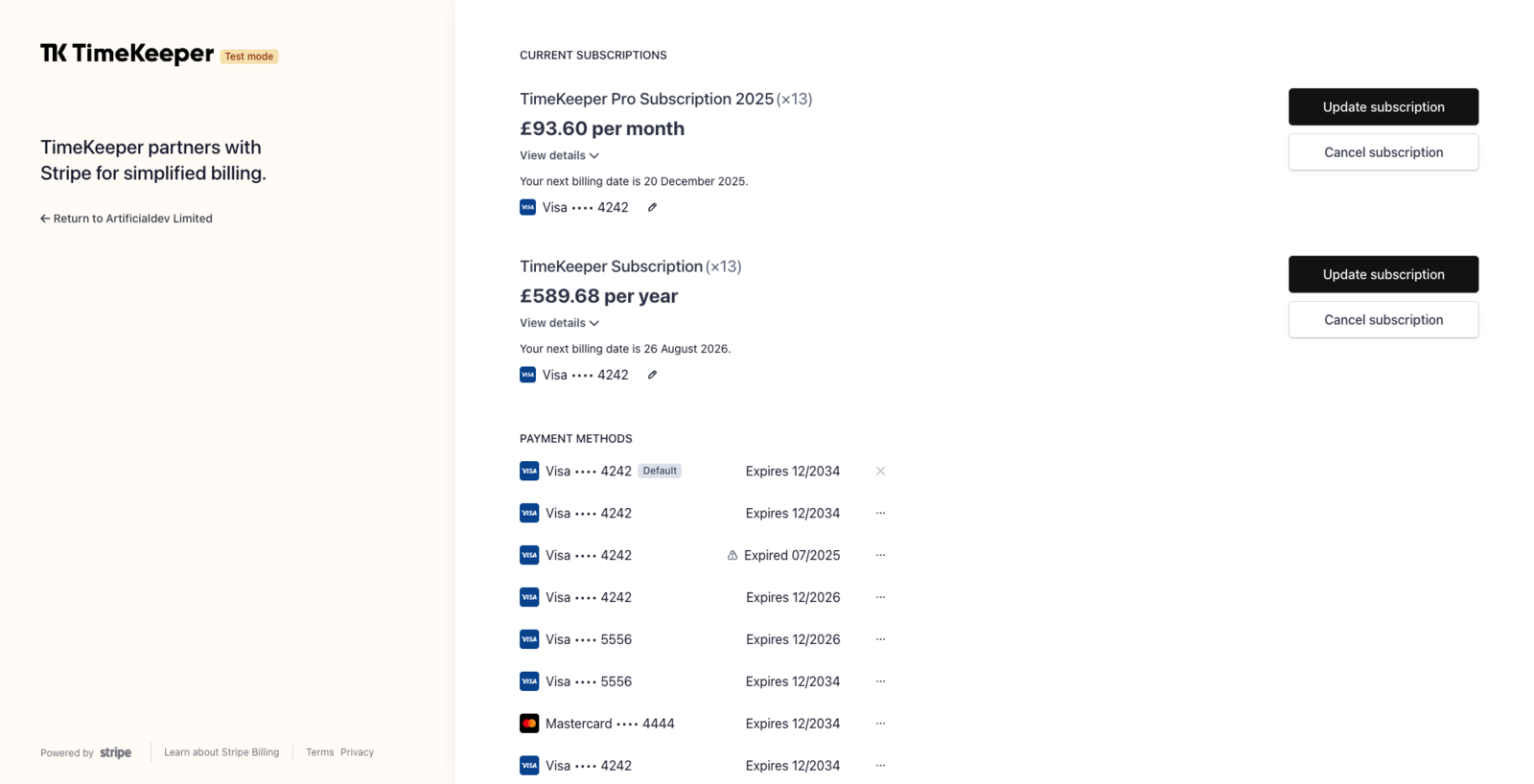
In the Stripe Billing portal, click on 'Update subscription'.
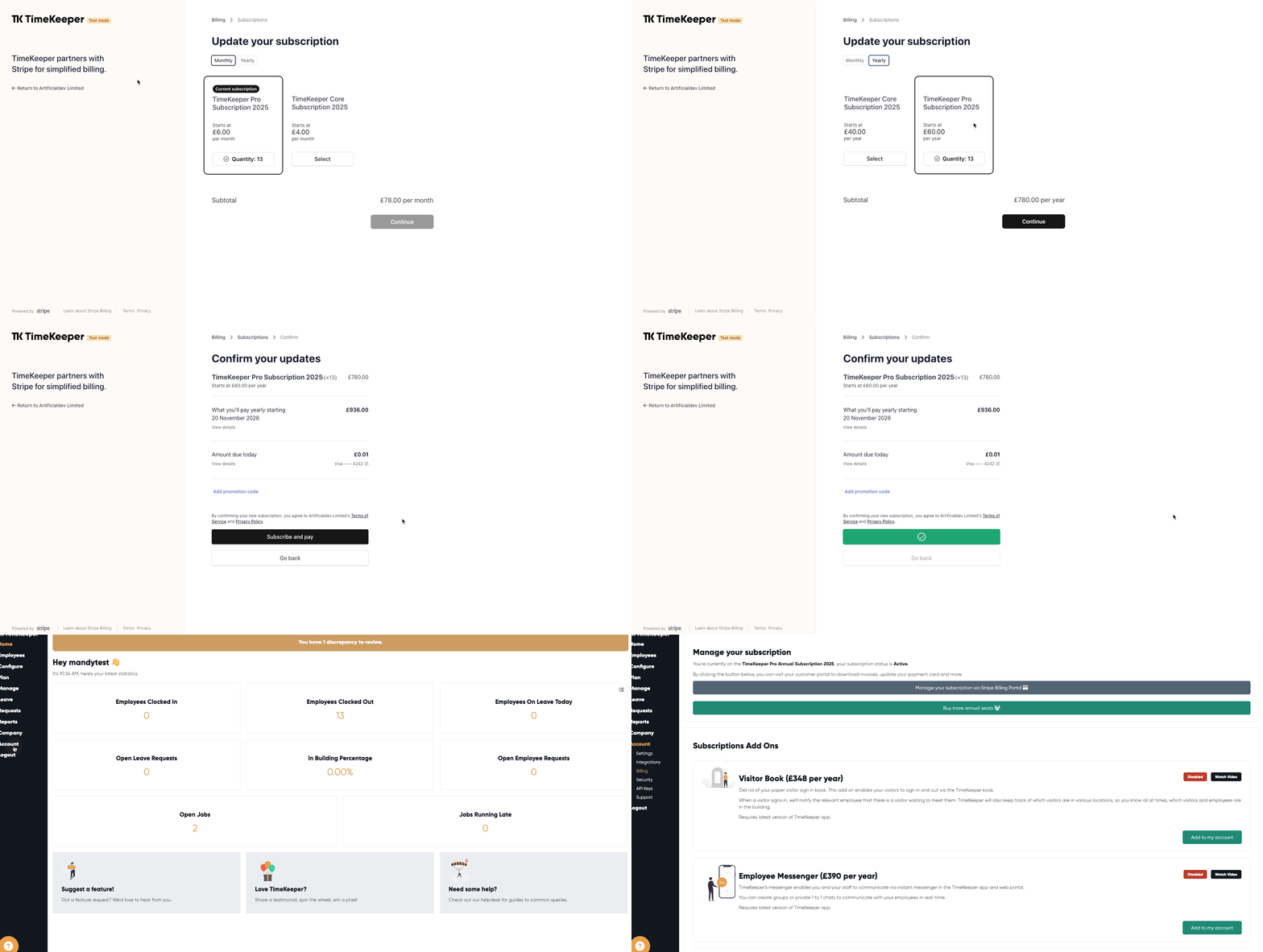
From here, switch from 'Monthly to 'Yearly'
Click 'Continue' & 'Confirm & Pay'
If we head back to the TimeKeeper web portal > Account > Billing > here you will see that your subscription plan is now an annual plan.
If you have any questions on the above, please reach out to us at [email protected] where our Customer Success team will be happy to assist.