
Working Patterns - Reusable, Fixed, Rota
TimeKeeper gives you flexibility in how you set employee working patterns, depending on the needs of your team. You can set up:
A reusable working pattern for multiple employees
A working pattern directly within an employee’s profile
A custom pattern for shift workers
Below are step-by-step instructions for each approach:
1. Creating a Reusable Working Pattern
Reusable working patterns are ideal if you want to assign the same standard working hours to multiple employees.
To set up a reusable pattern:
In the TimeKeeper web portal, go to People > Working Patterns
Click Add New Working Pattern
Name your pattern (e.g., "Standard 9-5").
Set the contracted weekly hours
Set the start and finish times for each day
You can specify breaks as well if they are unpaidSave your pattern.
You can now assign this reusable pattern to any employees as needed.
2. Setting a Working Pattern in an Employee Profile
If you want to assign a unique working pattern to a specific employee, you can do this within their profile:
Go to People > Directory and select the relevant employee.
Open the Working Pattern tab.
Choose Assign Existing Working Pattern to select one you've already created,
or click Set Custom Working Pattern to manually input working times for that employee.Enter the required working hours, break policies, and any variations.
Save your changes.
This sets the employee’s own pattern, which can be edited whenever needed.
3. Setting a Working Pattern for Shift Workers
For staff whose hours and shifts change regularly (such as shift or rota workers):
Go to the employee’s profile as above.
Under the Working Pattern tab, select Worker Pattern.
Here, instead of a fixed schedule, you'll assign Rota Hours
Shift patterns allow for total flexibility and are ideal for teams that don’t have set hours each week.
Save your selection.
This mode allows you to allocate different shifts as needed, week by week, which can be managed directly in the Rota Planner
When it comes to leave, you can set up the shift worker with either:
Pay leave based on scheduled rota shifts
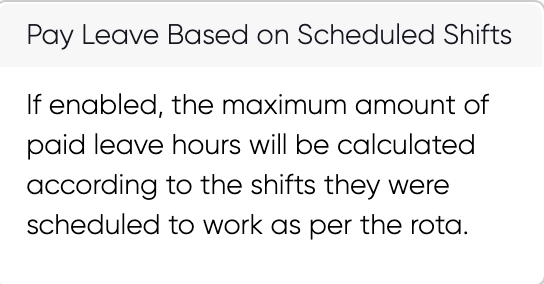
The shift needs to be needed to the rota planner in order to pull the hours through as leave.
or
Bookable leave days

You set the leave days that can be booked and the number of hours 1 leave day is equal too. This is for staff who work the same number of hours each shift, but whose shift days can change.
To learn more about setting up Overtime. Please review our:
Guide on Leave