
Updating Card Details
To update your card on file, click on your Profile Icon on the bottom left hand side of the screen > Account > Billing > Manage Subscription.
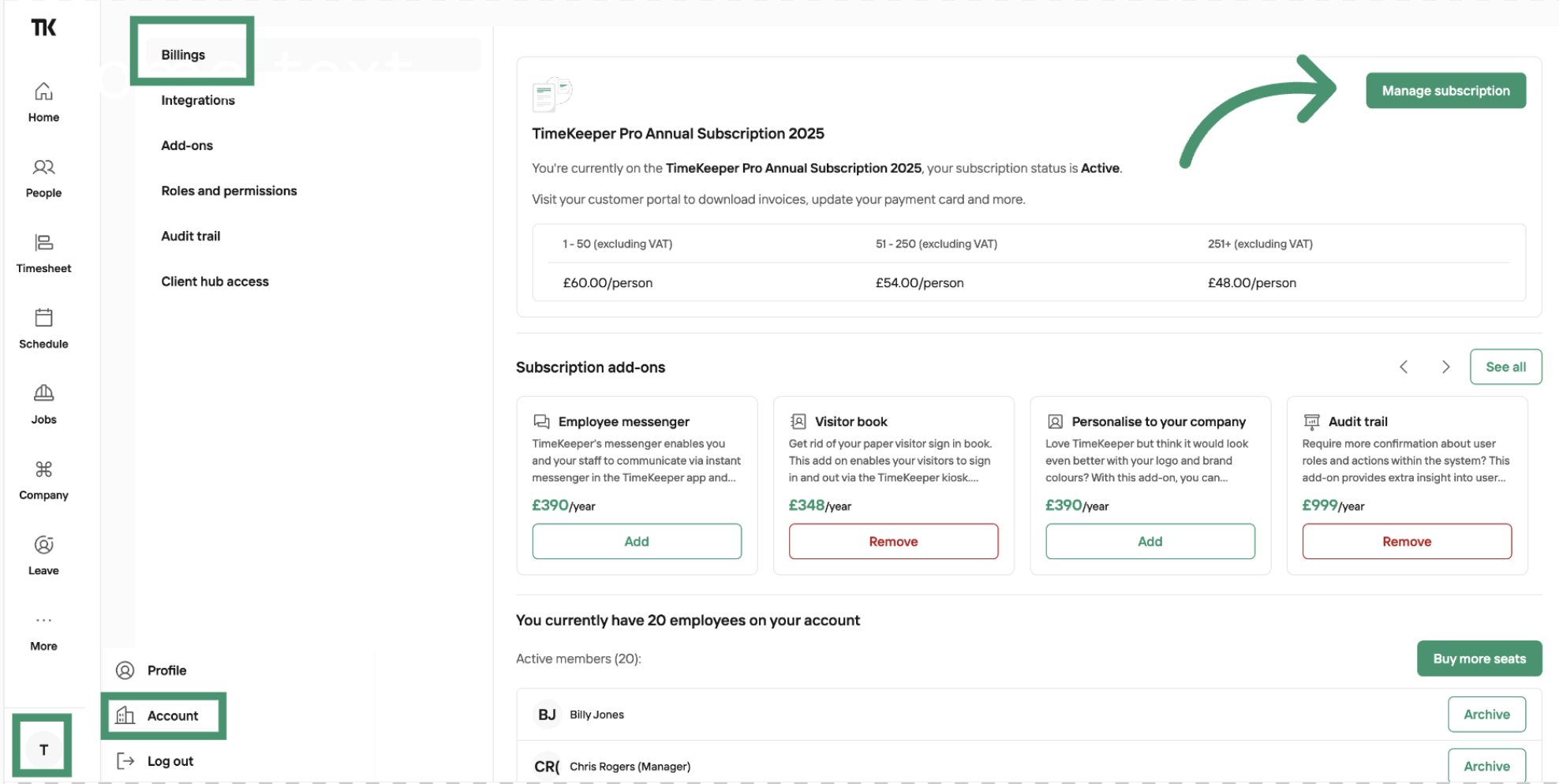
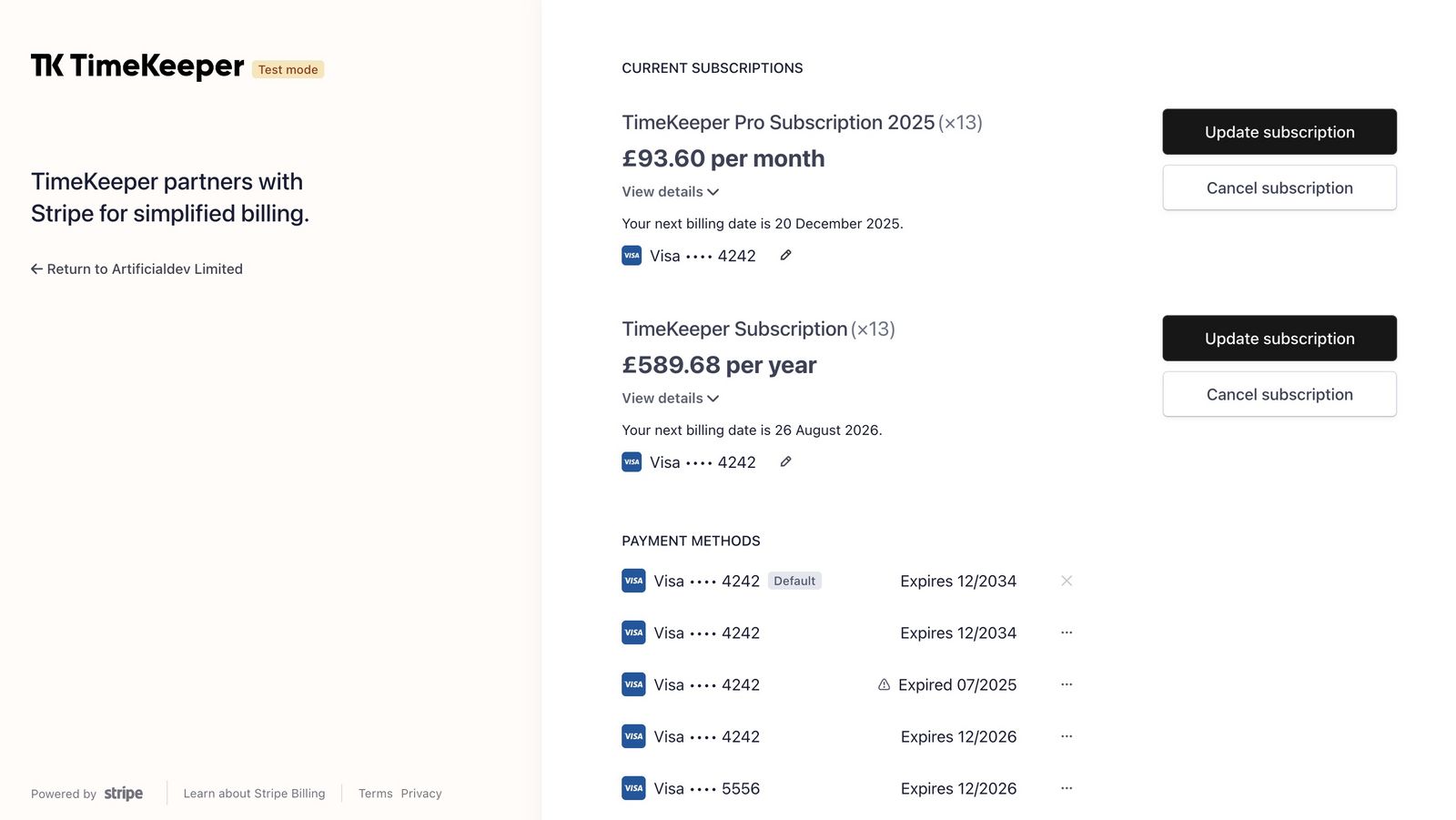
From here, you will be taken to the Stripe portal and you can update your card.
To update the card on file, you can click on the pencil icon > update payment method > click update.
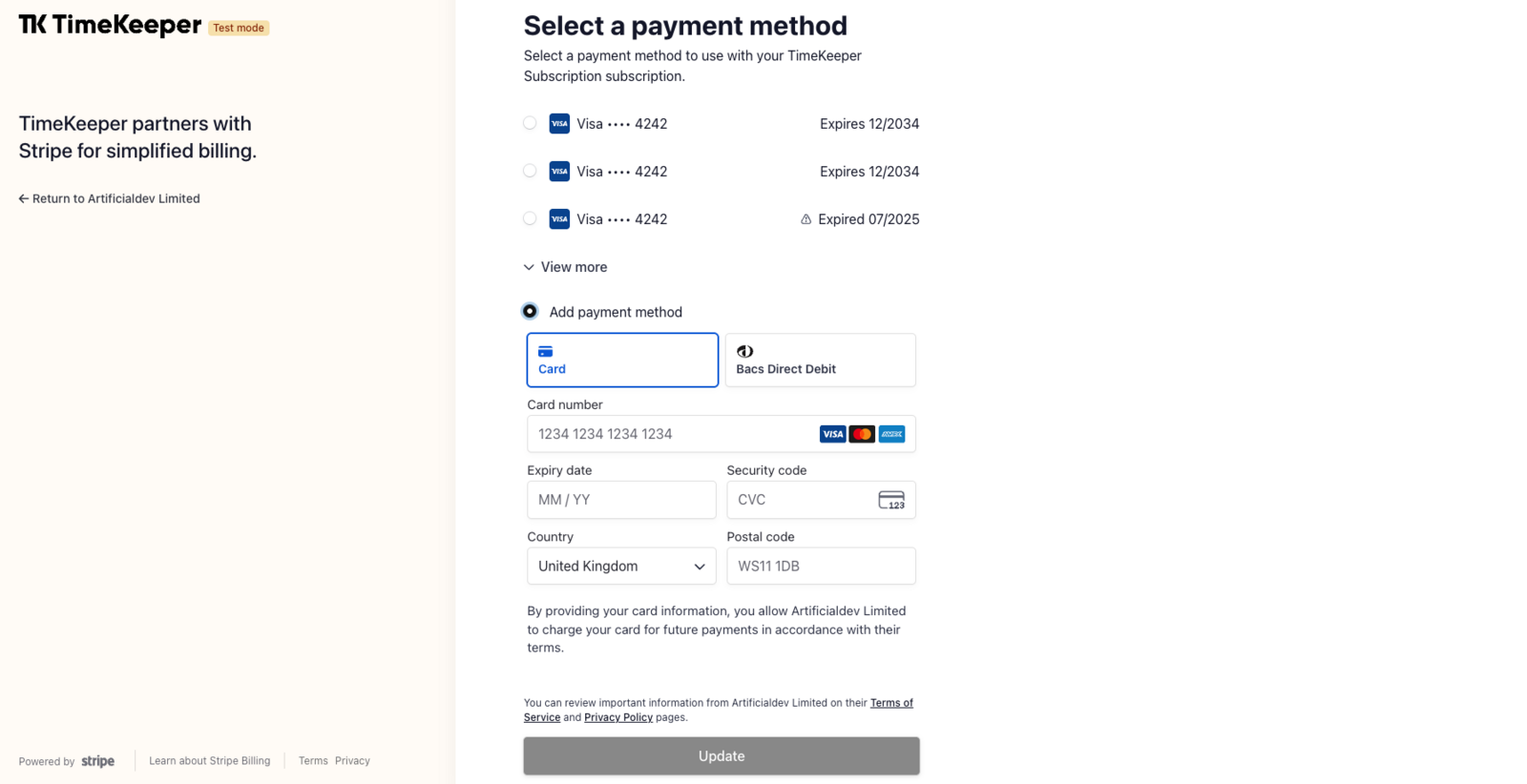
If you have any questions, please reach out to us at [email protected] and we'd be happy to help.
Was this helpful?
Was this helpful?