
Add On - Audit Trial
TimeKeeper offers an optional Auditing add-on for customers who need greater visibility and a clear trail of actions taken on their account.
There are several key benefits to the Auditing add-on:
Detailed visibility of account activity
In larger organisations with multiple levels of management, it can be hard to identify who changed a time entry or deleted an employee. The audit trail lets you see exactly:
Who performed an action
What they did
When it happened
From which IP address
This is useful for things like:
Seeing the original start time of a time entry before it was changed
Identifying who deleted a leave record for a particular employee
Checking when the Visitor Book add-on was enabled on your account
Searching for actions performed by a specific user or on a specific employee
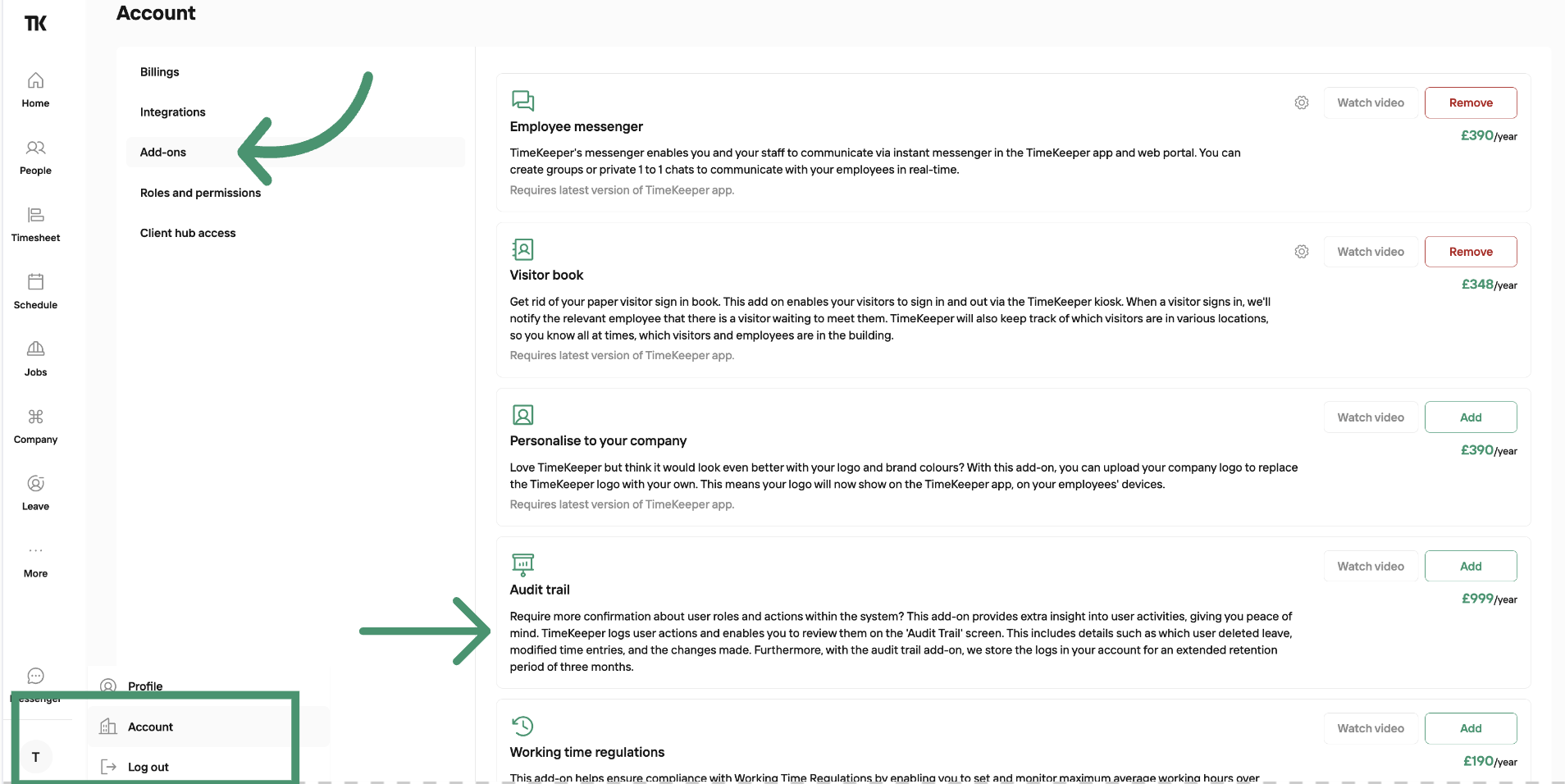
To enable the Audit Trail on your account, go to:
Profile Icon > Account > Add Ons
Here you’ll see a list of all available add-ons, including Audit Trail, which you can then activate.
Customers who enable the Auditing add-on will immediately gain access to the previous two weeks of audit data. From the date of activation, TimeKeeper will then begin collecting and retaining logs for up to three months, allowing you to investigate activity and potential incidents over a longer timeframe.
Because this involves storing a significant volume of data on a per-account basis, Auditing is offered as a paid add-on:
For monthly subscription, you can pay for the add on per month.
For annual subscription, you can pay for the add on per year.
The cost is one fixed price, it's not charged per person.