
Add On - Instant Employee Messenger
This guide will walk you through how Employee Messenger works in TimeKeeper. You’ll see how to turn the feature on, control who can message whom, and how employees can use chat to communicate with their colleagues.
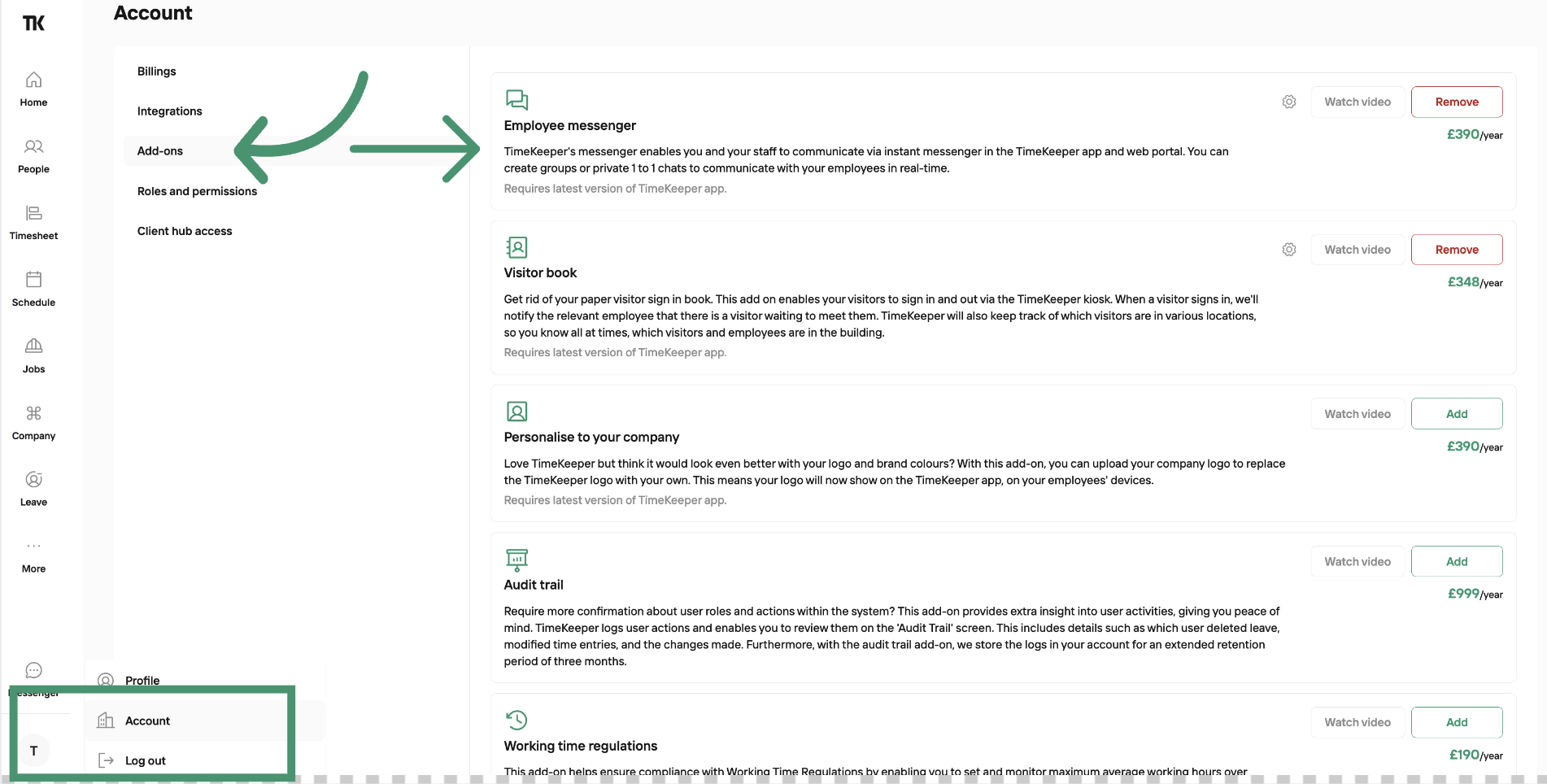
To enable the Messenger Add on on your account, go to:
Profile Icon > Account > Add Ons
Here you’ll see a list of all available add-ons, including Employee Messenger, which you can then activate.
Instant messaging can also be accessed from the TimeKeeper web portal. Employees who have permission can create new group chats, and moderators can delete messages or remove participants from the chat. Employees can view their messages in the web portal, and send responses or reactions.
For monthly subscription, you can pay for the add on per month.
For annual subscription, you can pay for the add on per year.
The cost is one fixed price, it's not charged per person.