
Add On - Working Time Regulation
This add-on helps ensure compliance with Working Time Regulations by enabling you to set and monitor maximum average working hours over specified periods. If these averages are exceeded, you will receive and be able to view any discrepancy. Employees can also be 'opted out' of the Working Time Regulation should they choose.
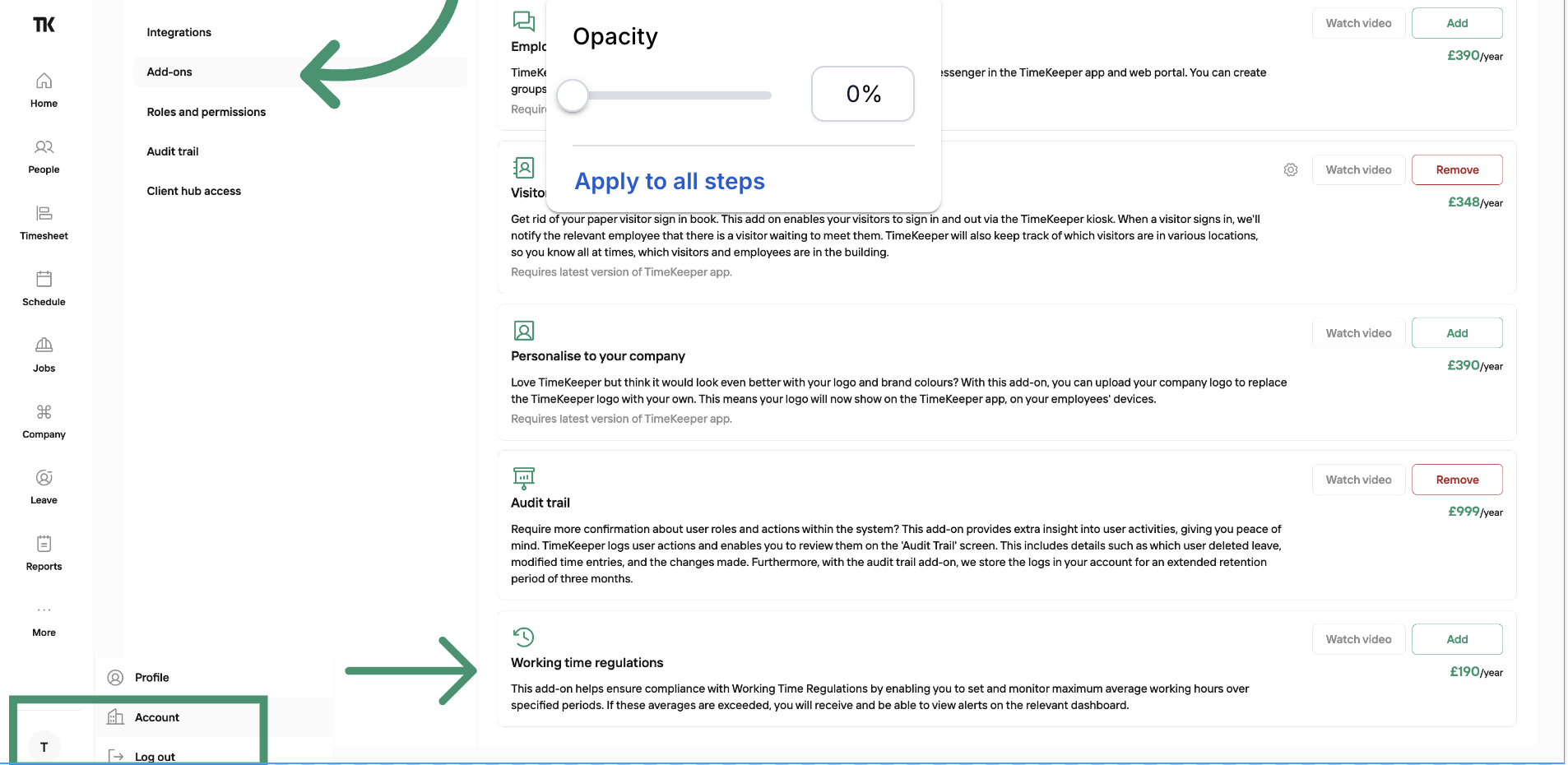
To enable the Working Time Regulation Add on on your account, go to:
Profile Icon > Account > Add Ons
Here you’ll see a list of all available add-ons, including Working Time Regulations Add on, which you can then activate.
You can easily set the thresholds you’d like to monitor within the Working Time Regulation Settings.
TimeKeeper will automatically track employee average and weekly hours, and notify you if any thresholds are exceeded—these alerts will appear under Working Time Regulations.
Clicking into the alert will allows you to review the specific details and employee hours.
From there, you can resolve the alert by adding a note with the outcome, or you have the option to opt the employee out of Working Time Regulation alerts if needed.
For monthly subscription, you can pay for the add on per month.
For annual subscription, you can pay for the add on per year.
The cost is one fixed price, it's not charged per person.