
Add On - Visitor Book
If you regularly have visitors on site, you may want to enable the Visitor Book add‑on in your account. This feature lets visitors sign themselves in using the tablet kiosk by entering their details and selecting the person they’re visiting. The host then receives an email notification to let them know their visitor has arrived. Visitors can also easily sign out at the end of their visit.
In the Visitor Book settings, you can upload a document—such as your visitor policy or health and safety information—that must be acknowledged during sign‑in.
From the web portal, administrators can see a list of visitors who have signed in and out. Visitors will be added to roll call reports, if there is an emergency whilst they are on site.
You can also enable this feature on your account by going to Profile > Account > Billing.
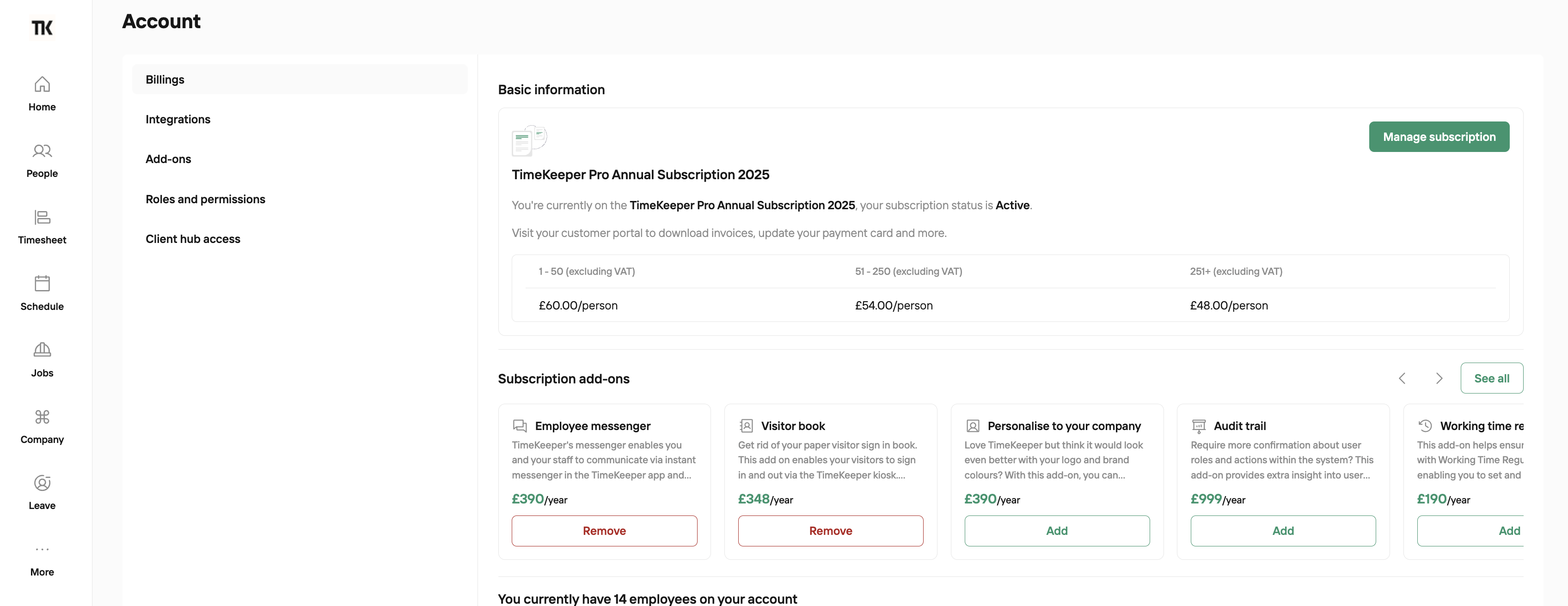
For monthly subscription, you can pay for the add on per month.
For annual subscription, you can pay for the add on per year.
The cost is one fixed price, it's not charged per person.
Please note: The Visitor Book add-on will only appear on kiosks that are logged in using an admin’s credentials. It will not be available when the kiosk is in Manager Access mode.