
All Leave Reports
In Timekeeper we have a number of helpful leave reports that can help you keep track of leave days.
All reports are found in More > Reports > Leave
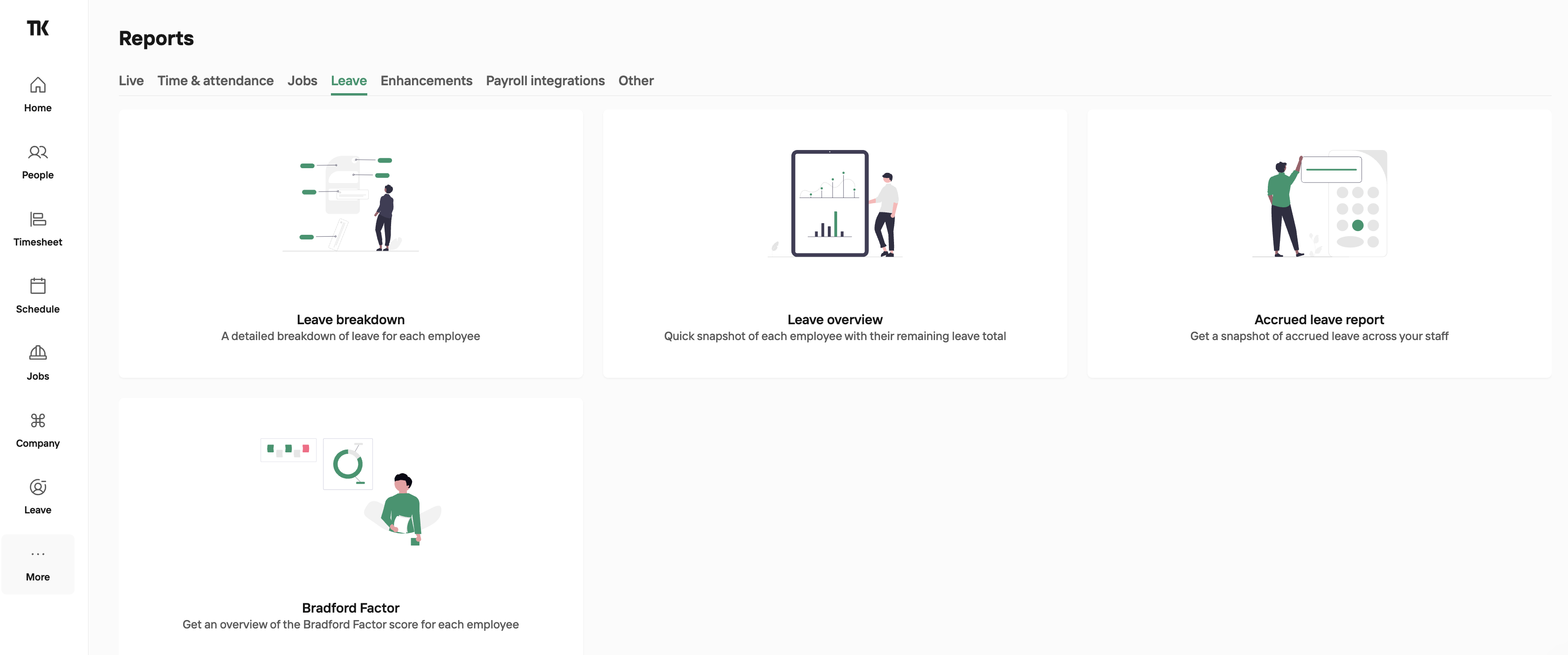
Leave Breakdown Report
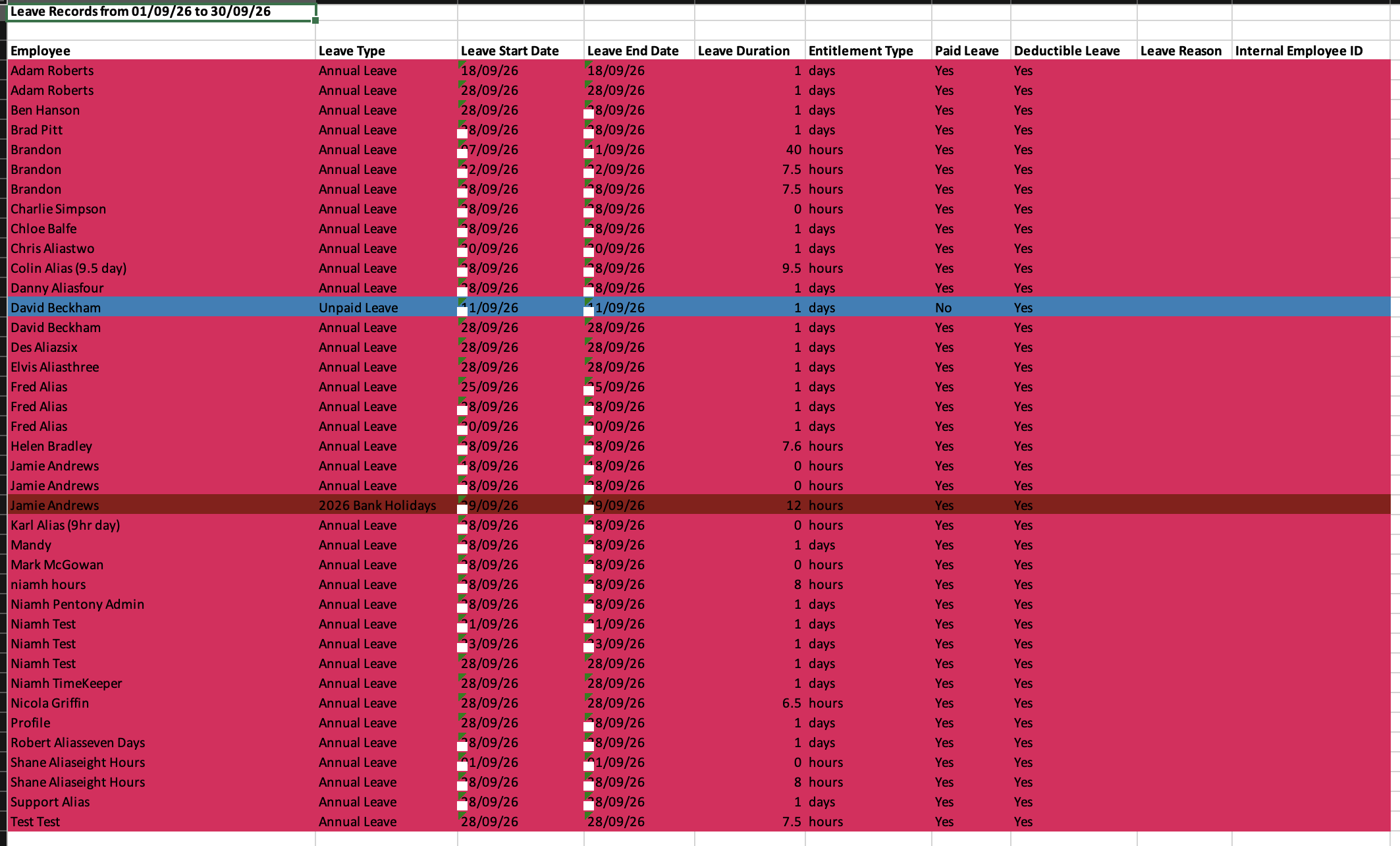
The Leave Breakdown report lets you generate an Excel file containing all employee leave taken within a selected date range.
The report includes each employee’s name, the type of leave booked, start and end dates, leave entitlement type (days or hours), whether the leave is paid or unpaid, whether it is deductible, and the colour assigned to that leave type.
In addition, each employee’s records are organised into their own worksheet, making it easy to review leave for a specific individual.
Leave Overview Report
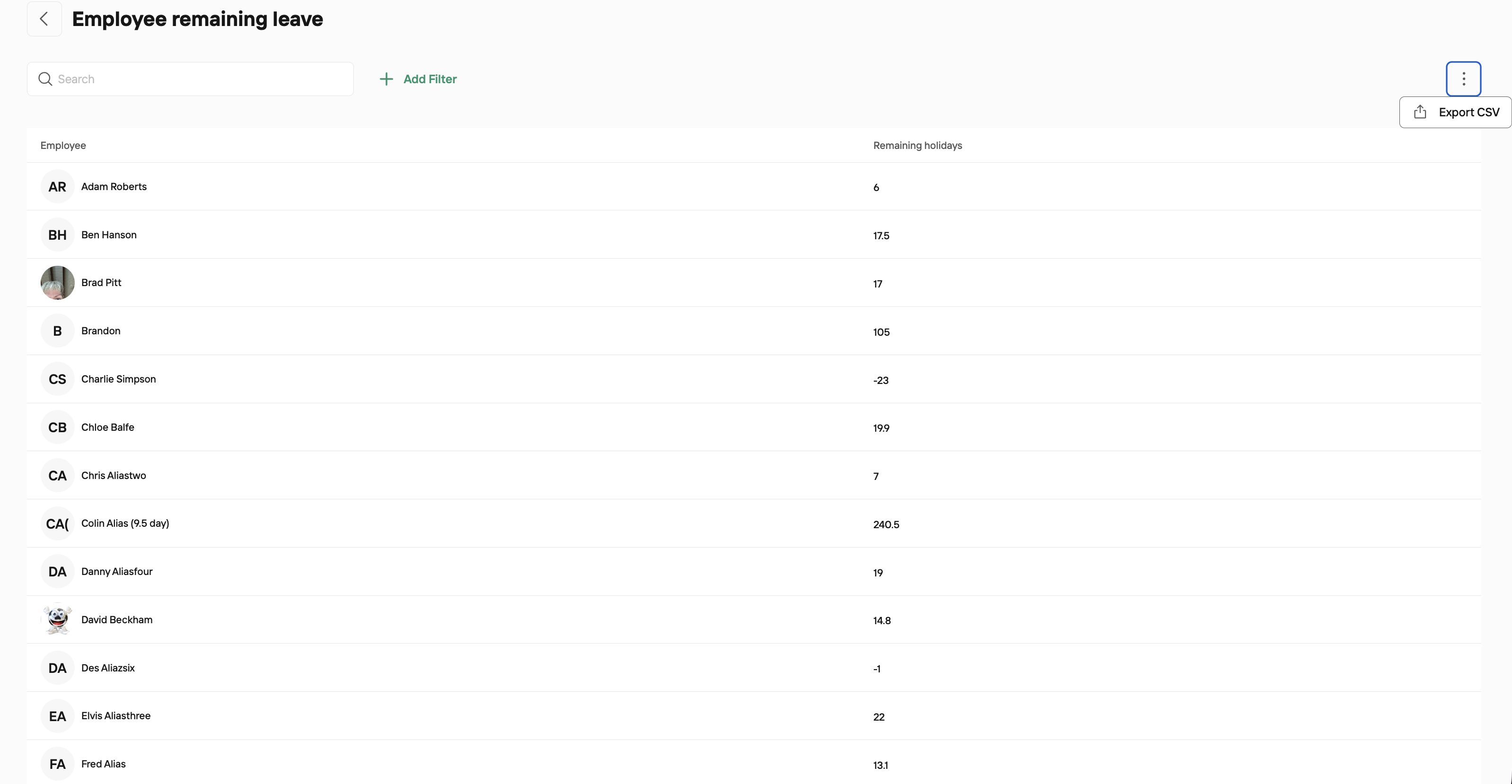
The Leave Overview report will show you how much remaining leave each employee has - be that in days or hours. This report can be exported to CSV if required by clicking the 3 dots to the right of your screen.
Accrued Leave Report
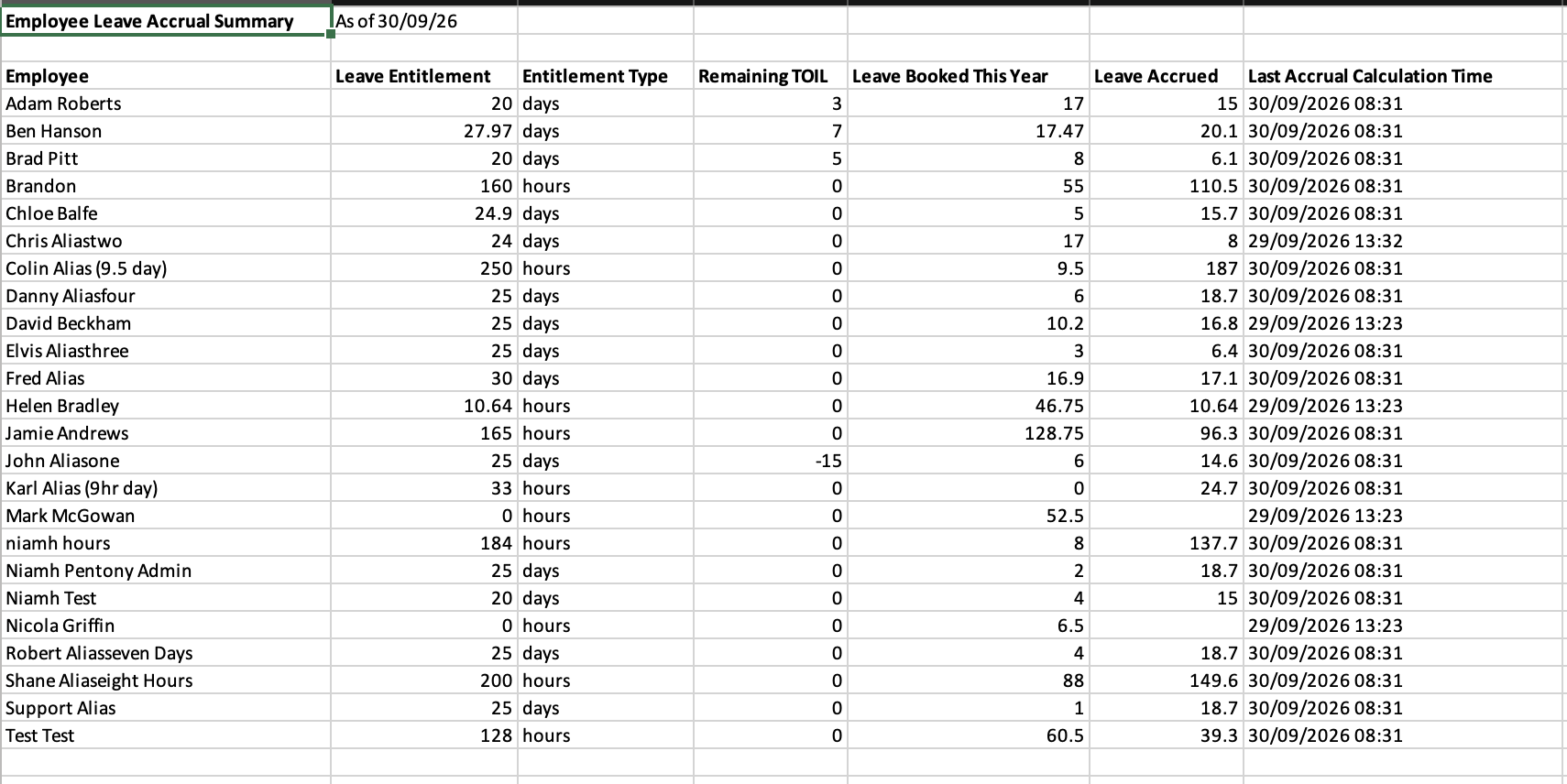
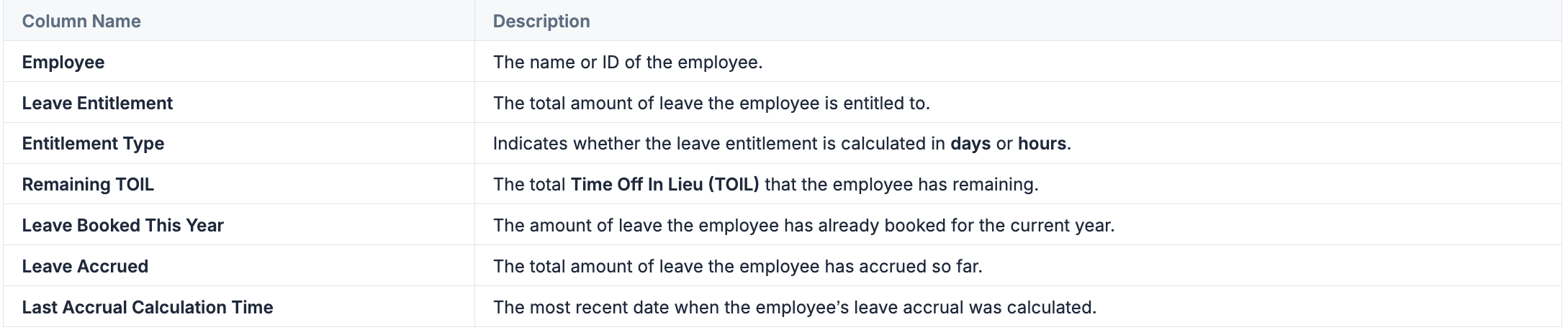
The Accrued Leave report provides a detailed breakdown of leave days each employee has accrued up to a specified date. This report is particularly useful for tracking the leave entitlement of employees and monitoring their accrued time off.
Accrual Employees: For employees with an accrual-based leave system, their leave entitlement will update automatically each month. To check the last time their leave entitlement was calculated, refer to the "Last Accrual Calculation Time" field in the report.
Filters: Before generating the report, you can filter it to generate data for all employees or select a specific employee for a more focused view.
When you run the Accrued Leave Report, an Excel spreadsheet will be generated like above, containing the following columns:
Bradford Factor
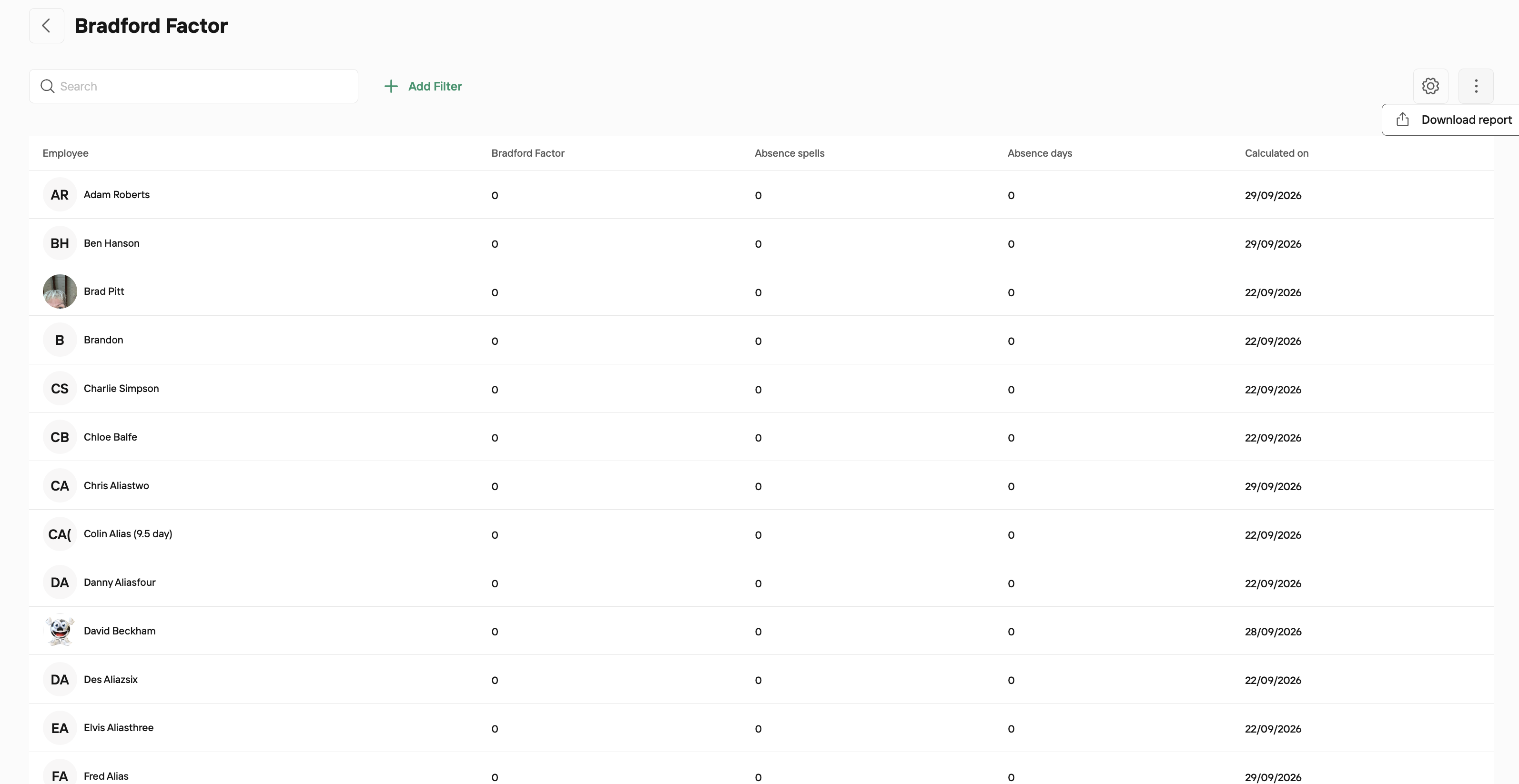
When creating your Leave Types, you have the option to include that leave type in the Bradford Factor score or not. When you run the Bradford Factor report you'll have a score for each employee. This report can be exported to CSV if required by clicking the 3 dots to the right of your screen.